 diri
diri- What keeps running when you close diri
- Archive, close and reopen, and the difference
- How to find and resume any past conversation
1Closing diri is safe
Each session runs in its own small background process on your Mac, not inside the diri window. Quit diri, reopen it tomorrow morning, and every agent that was working is still working, with its full screen history.
The same is true if diri's background engine restarts during an update. Sessions are picked up again where they were.
2Archive, close, and reopen
Right-click a session to tidy up. Two options matter:
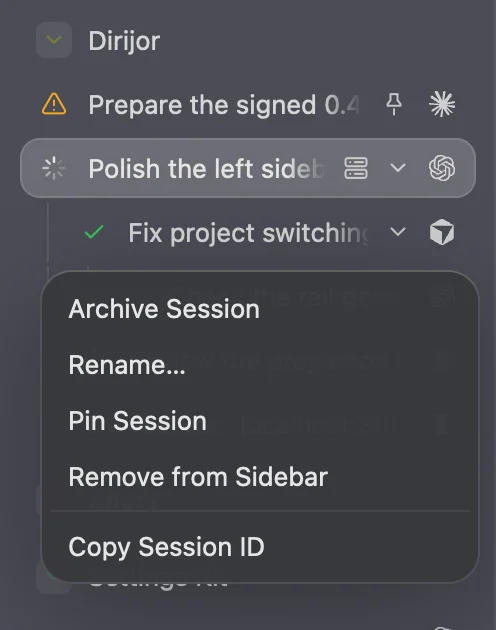
- Archive Session ⌥⇧⌘W
- Stops the agent but keeps the session in an Archived group under its project. Right-click it later and choose Revive to pick the conversation up again.
- Remove from Sidebar ⌘W
- Stops the agent and removes the session and its screen history. diri asks first if the agent is still running.
Removed something by mistake? Press ⇧⌘T to reopen it. diri remembers the last ten, until its background engine restarts.
3After you restart your Mac
A restart stops every running process, agents included. When you open diri again, those sessions say they ended and offer Resume.
Click Resume, or just open the session, and the agent continues the same conversation with everything it knew. Claude Code, Codex and most other agents can do this. A plain Terminal session starts fresh instead.
Whatever the agent was doing at the moment of the restart stops there. If it was halfway through a long task, ask it where it got to.
4Find any old conversation
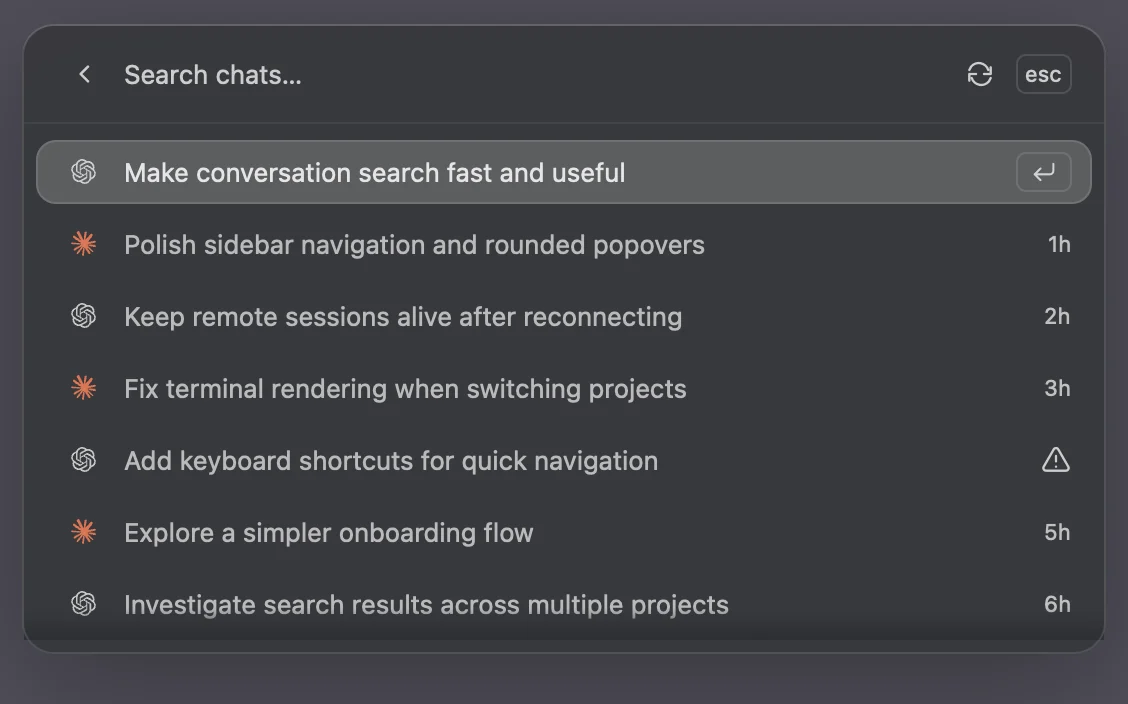
Press ⇧⌘H for Search chats. It lists every Claude Code and Codex conversation on this Mac, including ones you started outside diri. Type a few words to filter, then press Return to continue that conversation in a new session.
5Sleeping agents
Agents that sit idle still use memory. diri can freeze them so your Mac stays fast. In Settings → Resources:
- Hibernate idle sessions freezes a session after it has been quiet for a while (one hour by default).
- Memory limit freezes an idle session once it grows past a size you choose.
Frozen sessions show a moon. They are never killed. Opening one wakes it exactly where it was.
6What diri cannot undo
diri keeps conversations safe. It does not keep old versions of your files. If an agent rewrites a document you care about, the old text is gone unless you have a copy.
- Work in a copy of important folders, or ask the agent to save drafts under new names.
- If your project uses Git, every change shows up in the Review panel, where you can throw away what you do not want.
- You can always ask the agent itself: “undo your last change to report.md”.